
Jenny bathroom vanity. Remove old one, install customer supplied 900 vanity...
For solo tradies and owner-operated trade businesses
Never lose the variation again.
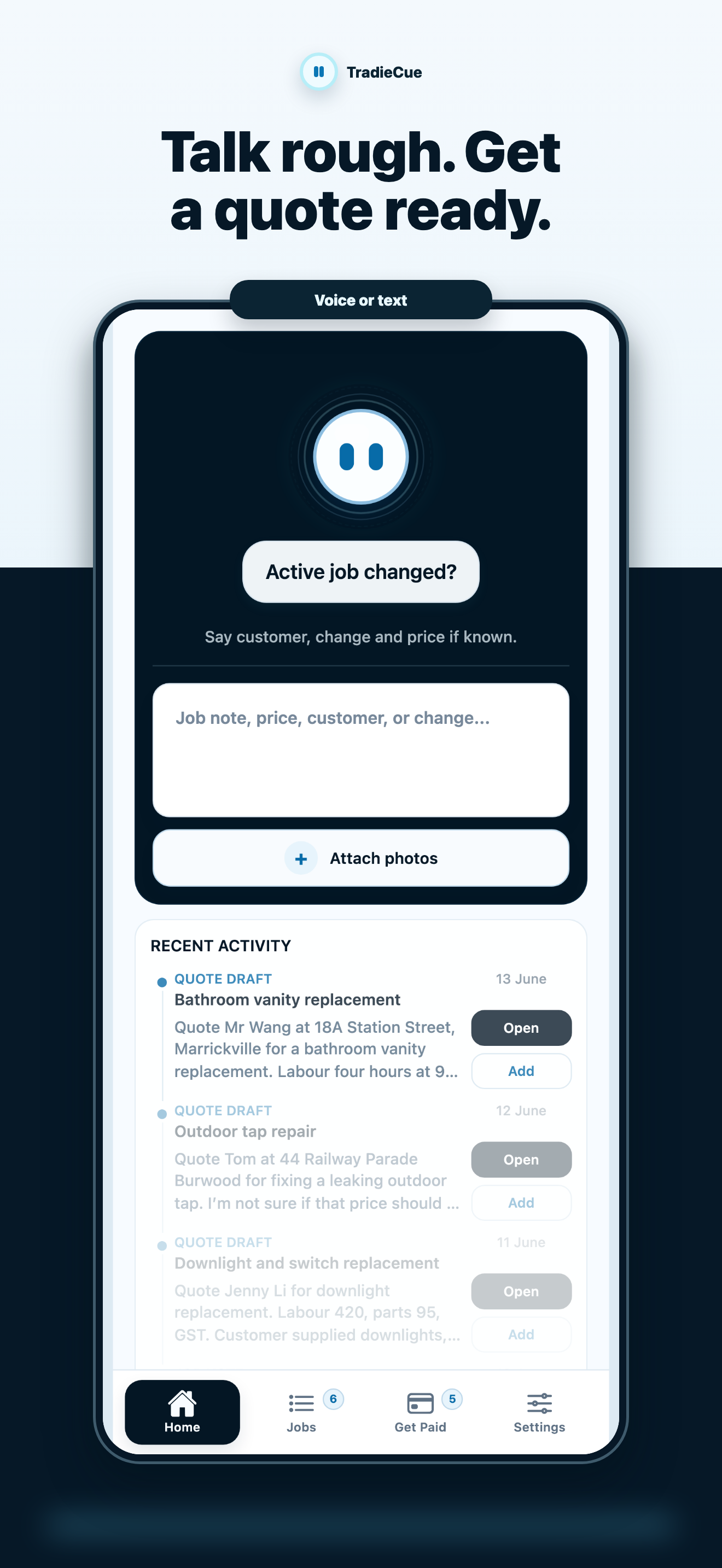
Talk or type rough job notes in English, 中文, or both. Timmy remembers the job and turns your scratchpad into professional quotes, variations and payment follow-ups.
No auto-send
No invented prices
Review first
Talk to Timmy. Turn rough job notes into reviewed paperwork.
Guided website demo using sample job notes. The iPhone app uses Timmy AI, and every draft is reviewed before sharing.
No auto-send
No invented prices
Review first
TradieCue demo
Talk to Timmy
Pick a job moment
Tap Timmy or choose a happy path to see how messy job notes become reviewed paperwork.
Website demo
Guided website demo using sample job notes. The iPhone app uses Timmy AI; you review before anything is shared.
What just happened
Messy job reality became reviewed paperwork.
The website demo is deliberately guided, but it shows the product shape: rough note in, Timmy identifies the job admin, professional draft out, review before sharing.
Quotes take too long
Details sit in your head, photos, texts and notes until you have energy to turn them into something professional.
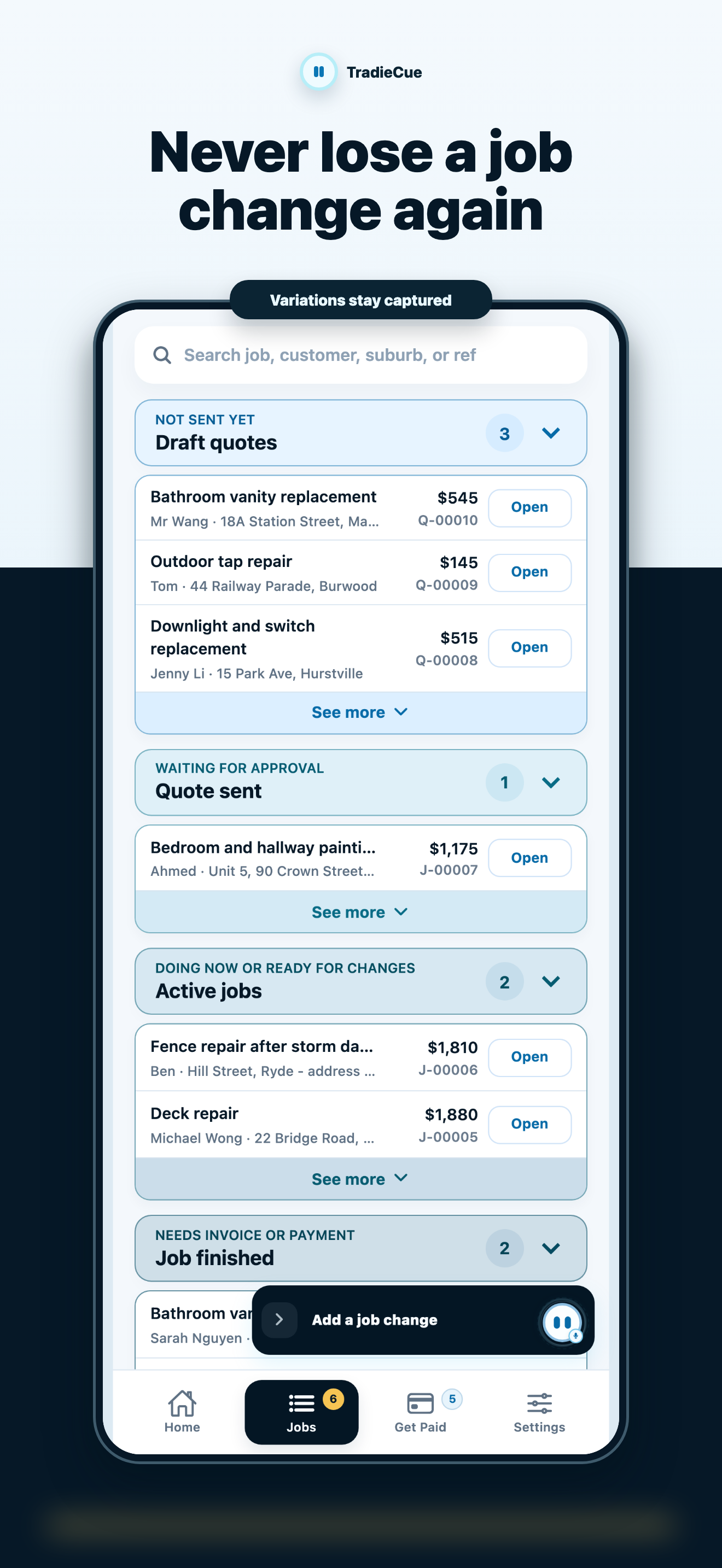
Variations get lost
The customer asks for extra work on site. If it is not captured and approved, it can become unpaid work.
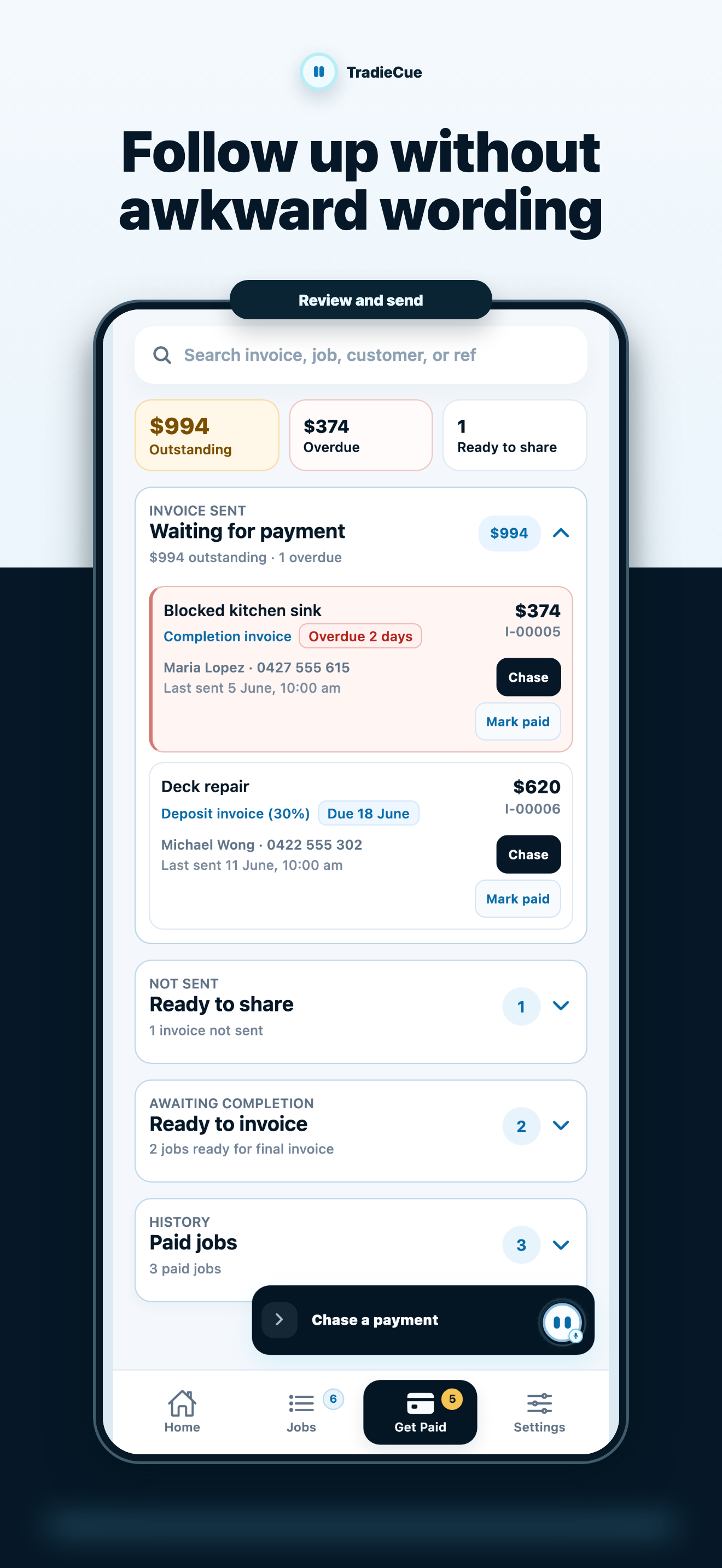
Payment chasing feels awkward
You know money is overdue, but writing the right message is another small admin job at the end of the day.
How it works
One rough note becomes a draft you can actually use.
Tell Timmy the job
Speak, type or paste the rough note. English, Chinese and mixed notes are fine.
Timmy drafts it. You check it.
Timmy interprets the messy note, plans the draft and asks for missing details. The app still checks price, GST, totals, job match and share safety.
Review and share
Edit the draft, preview the customer message and use your normal share path. Nothing is sent automatically.
Benefits
Built around outcomes a tiny trade business can feel.
Get quotes out while the job is still fresh
Capture the scope, price and customer details before they scatter across messages and memory.
Protect extra work
Turn site changes into a variation draft so the customer can review what changed and why it costs more.
Sound professional without fighting the wording
Use natural rough notes on site and still prepare clear English output for customers.
Back up the business job memory
Keep the job notes and paperwork you create with Timmy backed up, instead of trapped on one phone.
English / 中文
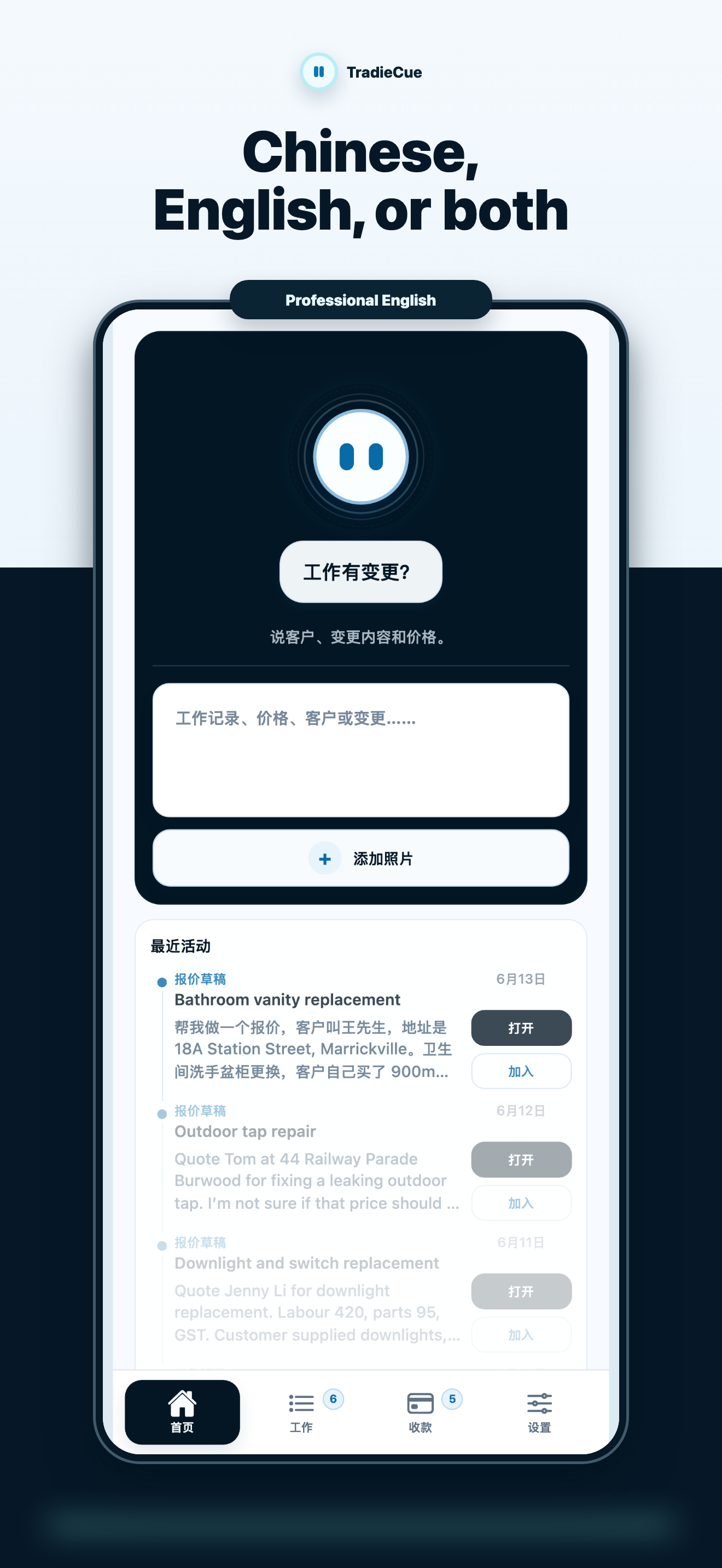
Talk naturally on site. Send clean English paperwork.
TradieCue is being shaped for operators who use Chinese, English or both during the day but need professional English quotes, variations and payment messages.
中文 / English 都可以。现场先讲出来,客户文件再整理成专业英文。
Features
The important bits, without turning into a heavy job system.
Voice and text capture
Start with a spoken note, typed note, pasted message or job photo.
Quote draft editor
Review line items, scope, GST, exclusions, payment terms and customer-facing copy.
Variation drafts
Use job context to capture what changed, why it is outside scope and the price impact.
Get Paid tab
Track invoice/payment context and prepare polite follow-up drafts.
Job memory backup
Keep the job notes and paperwork you create with Timmy backed up, instead of trapped on one phone. Crew/member sharing stays coming soon until invite and permission controls are ready.
AI with trust controls
Timmy can understand and draft with AI, while preview-before-share, source-backed pricing and manual confirmation keep the tradie in control.
Credibility
No fake testimonials. Product proof first.
TradieCue does not have public customer testimonials yet. The current proof comes from real app flows, browser journey screenshots, agent evaluation fixtures and production-readiness documentation.
FAQ
Questions a sensible tradie should ask before trusting it.
Can I download TradieCue now?
Not yet. The iOS app is not publicly available yet, so this website uses an honest coming-soon message until the real install link exists.
Does TradieCue send messages by itself?
No. It prepares editable drafts and customer-facing messages. You review, copy, share or send manually.
Does it decide my prices?
No. Timmy can organise line items, understand rough scope and ask for missing details, but prices must come from you and stay reviewable.
Why is TradieCue a subscription?
Timmy uses hosted AI and voice transcription to understand messy job notes, plan drafts and clean customer wording. Planned iPhone launch: free to try, then TradieCue Pro through Apple. Apple confirms before any charge.
Is this a full job management system?
No. TradieCue is deliberately narrower than a CRM, scheduler or project-management platform. It focuses on job memory and money paperwork.
What happens with AI and privacy?
When you use Timmy AI, job notes, voice transcripts, drafts and related job details may be processed by TradieCue's hosted services and AI providers so the draft can be prepared. You stay in control of what you enter, you review drafts before sharing, and public Privacy, Terms and Support pages explain the current pre-launch position.
Plain-English privacy
AI helps draft the paperwork. You stay in control.
TradieCue is being built for real trade admin, so the trust rules need to be obvious before launch.
Hosted AI is disclosed
Timmy may use hosted AI and voice transcription to understand rough notes and prepare drafts. The app should explain this before use.
You choose what goes in
You decide what job, customer, photo, voice and business details to enter. Do not put in anything you do not want processed.
Review comes first
Drafts stay editable and preview-first. TradieCue should not auto-send customer messages or invent prices for you.
Install status
iOS app coming soon.
The iOS app is not publicly available yet. Planned iPhone launch: free to try, then TradieCue Pro through Apple. Apple confirms before any charge.

TradieCue: Timmy for Tradies
Coming to iPhone: try Timmy on a sample quote first, then continue with TradieCue Pro through Apple when the app is ready.
iOS app coming soon
Contact support